
Certificates Section
Where you specify the certificates that should be used for each domain served by ESS.
The third section of the ESS installer GUI is the Domains section, here you will configure the certificates to use for each previously specified domain name.
Certificate details configured via the UI in this section will be saved to your deployment.yml under each of the components' k8s: ingress: configuration with the cert contents (if manually uploaded) being saved to a secrets.yml in Base64. This section covers all certificates to be used by the main components deployed by the installer, additional certificates may be required when enabling specific integrations - you will specify integration specific certificates on each respective integrations' page.
deployment.yml
spec:
  components:
    elementWeb:
      k8s:
        ingress:
          tls: # Selecting `Certmanager Let's Encrypt`
            certmanager:
              issuer: letsencrypt
            mode: certmanager
      secretName: element-web
    integrator:
      k8s:
        ingress:
          tls: # Selecting `Certificate File`
            certificate:
              certFileSecretKey: integratorCertificate
              privateKeySecretKey: integratorPrivateKey
            mode: certfile
      secretName: integrator
    synapse:
      k8s:
        ingress:
          tls: # Selecting `Existing TLS Certificates in the Cluster`
            mode: existing
            secretName: example
      secretName: synapse
    synapseAdmin:
      k8s:
        ingress:
          tls: # Selecting `Externally Managed`
            mode: external
      secretName: synapse-admin
    wellKnownDelegation:
      k8s:
        ingress:
          tls:
            mode: external
      secretName: well-known-delegation
secrets.yml
apiVersion: v1
kind: Secret
metadata:
  name: element-web
  namespace: element-onprem
data:
  elementWebCertificate: >-
    exampleBase64EncodedString
  elementWebPrivateKey: >-
    exampleBase64EncodedString
---
apiVersion: v1
kind: Secret
metadata:
  name: integrator
  namespace: element-onprem
data:
  certificate: >-
    exampleBase64EncodedString
  privateKey: >-
    exampleBase64EncodedString
---
apiVersion: v1
kind: Secret
metadata:
  name: synapse
  namespace: element-onprem
data:
  synapseCertificate: >-
    exampleBase64EncodedString
  synapsePrivateKey: >-
    exampleBase64EncodedString
---
apiVersion: v1
kind: Secret
metadata:
  name: synapse-admin
  namespace: element-onprem
data:
  synapseAdminUICertificate: >-
    exampleBase64EncodedString
  synapseAdminUIPrivateKey: >-
    exampleBase64EncodedString
---
apiVersion: v1
kind: Secret
metadata:
  name: well-known-delegation
  namespace: element-onprem
data:
  wellKnownDelegationCertificate: >-
    exampleBase64EncodedString
  wellKnownDelegationPrivateKey: >-
    exampleBase64EncodedString
You will need to configure certificates for the following components:
- Well-Known Delegation
- Well-Known files are served on the base domain, i.e.
https://example.com/.well-known/matrix/clientandhttps://example.com/.well-known/matrix/server.
IfPlease note, if opt to turn on DNS SRVis(viaOn viathe Clustertab,Section), the Synapsecertcertificate MUST include the base domain as an additionalnamename.
For each component, you will be presented with 4 options on how to configure the certificate.
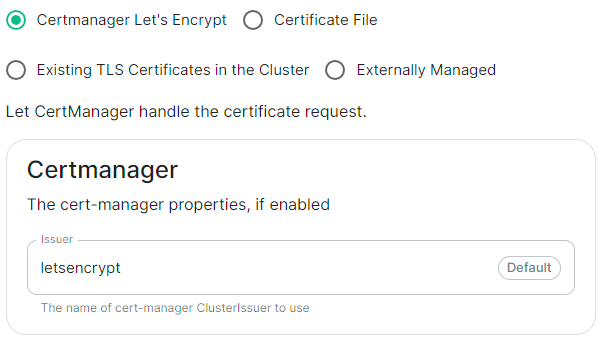
Certmanager Let's Encrypt
spec:
  components:
    componentName: # `elementWeb`, `integrator`, `synapse`, `synapseAdmin`, `wellKnownDelegation`
      k8s:
        ingress:
          tls:
            certmanager:
              issuer: letsencrypt
            mode: certmanager
      secretName: component # Not used with 'Certmanager Let's Encrypt'
Select this to use Let's Encrypt to generate the certificates used, do not edit the Issuer field as no other options are available at this time.
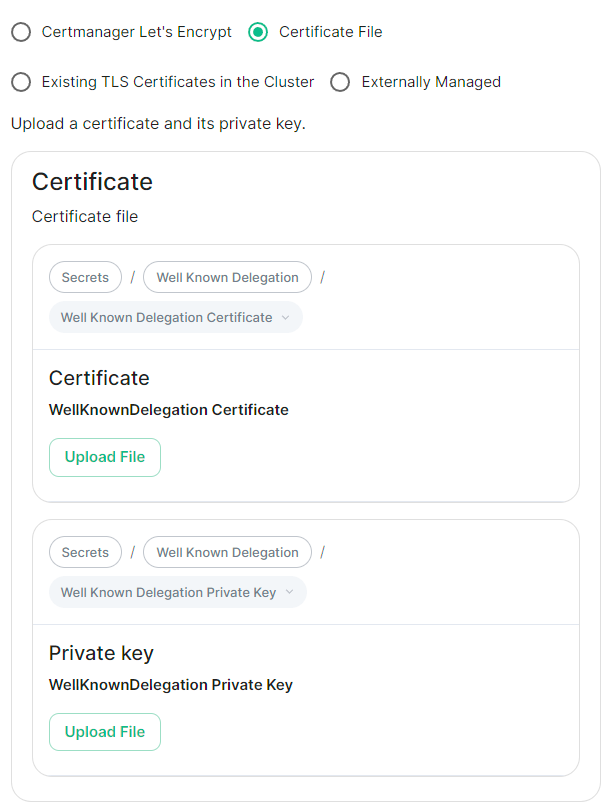
Certificate File
deployment.yml
spec:
  components:
    componentName: # `elementWeb`, `integrator`, `synapse`, `synapseAdmin`, `wellKnownDelegation`
      k8s:
        ingress:
          tls:
            mode: certfile
            certificate:
              certFileSecretKey: componentCertificate
              privateKeySecretKey: componentPrivateKey
      secretName: component
secrets.yml
apiVersion: v1
kind: Secret
metadata:
  name: component
  namespace: element-onprem
data:
  componentCertificate: >-
    exampleBase64EncodedString
  componentPrivateKey: >-
    exampleBase64EncodedString
---
Select this option to be able to manually upload the certificates that should be used to serve the specified domain. Make sure you certificate files are in the PEM encoded format and it is strongly advised to include the full certificate chain within the file to reduce liklihood of certificate-based issues post deployment.
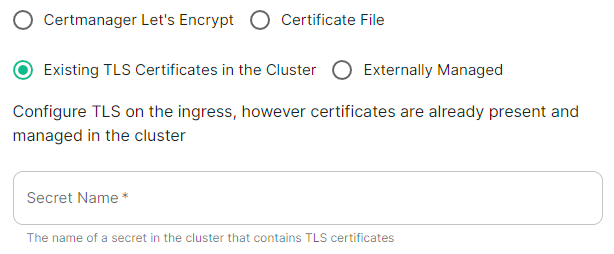
Existing TLS Certificates in the Cluster
spec:
  components:
    componentName: # `elementWeb`, `integrator`, `synapse`, `synapseAdmin`, `wellKnownDelegation`
      k8s:
        ingress:
          tls:
            mode: existing
            secretName: example
      secretName: component # Not used with 'Existing TLS Certificates in the Cluster'
This option is most applicable to Kubernetes deployments, however can be used with Standalone. Select this option when secrets containing the certificates are already present and managed within the cluster, provide the secret name that contains the TLS certificates for ESS to use them.
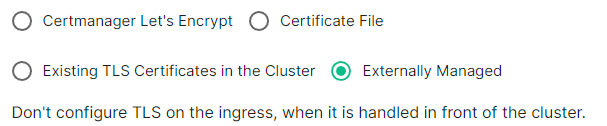
Externally Managed
spec:
  components:
    componentName: # `elementWeb`, `integrator`, `synapse`, `synapseAdmin`, `wellKnownDelegation`
      k8s:
        ingress:
          tls:
            mode: external
      secretName: component # Not used with 'Externally Managed'
Select this option is certificates are handled in front of the cluster, TLS will not be configured on the ingress for each component.