
Setting Up the IRC Bridge
OverviewMatrix IRC Bridge
The Matrix IRC Bridge is an IRC bridge allowsfor youMatrix that will pass all IRC messages through to bridgeMatrix, and all Matrix messages through to IRC. Please also refer to the bridges' specific documenation for additonal guidance.
For usage of the IRC serversBridge intovia yourit's Elementbot server.user see Using the Matrix IRC Bridge documentation.
Installation and Configuration
From the Installer's Integrations page,page find the IRC Bridge entry, and click "Install"Install.This underwill "IRC Bridge"
Editsetup the providedIRC bridge.ymlBridges' basedconfig ondirectory, theby followingdefault documentation:this will be located:
key_file: irc-passkey.pem~/.element-enterprise-server/config/legacy/certs/ircbridge
You will initially be taken to the bridges configuration page, for any subsequent edits, the Install button will be replaced with Configure, indicating the bridge is installed.
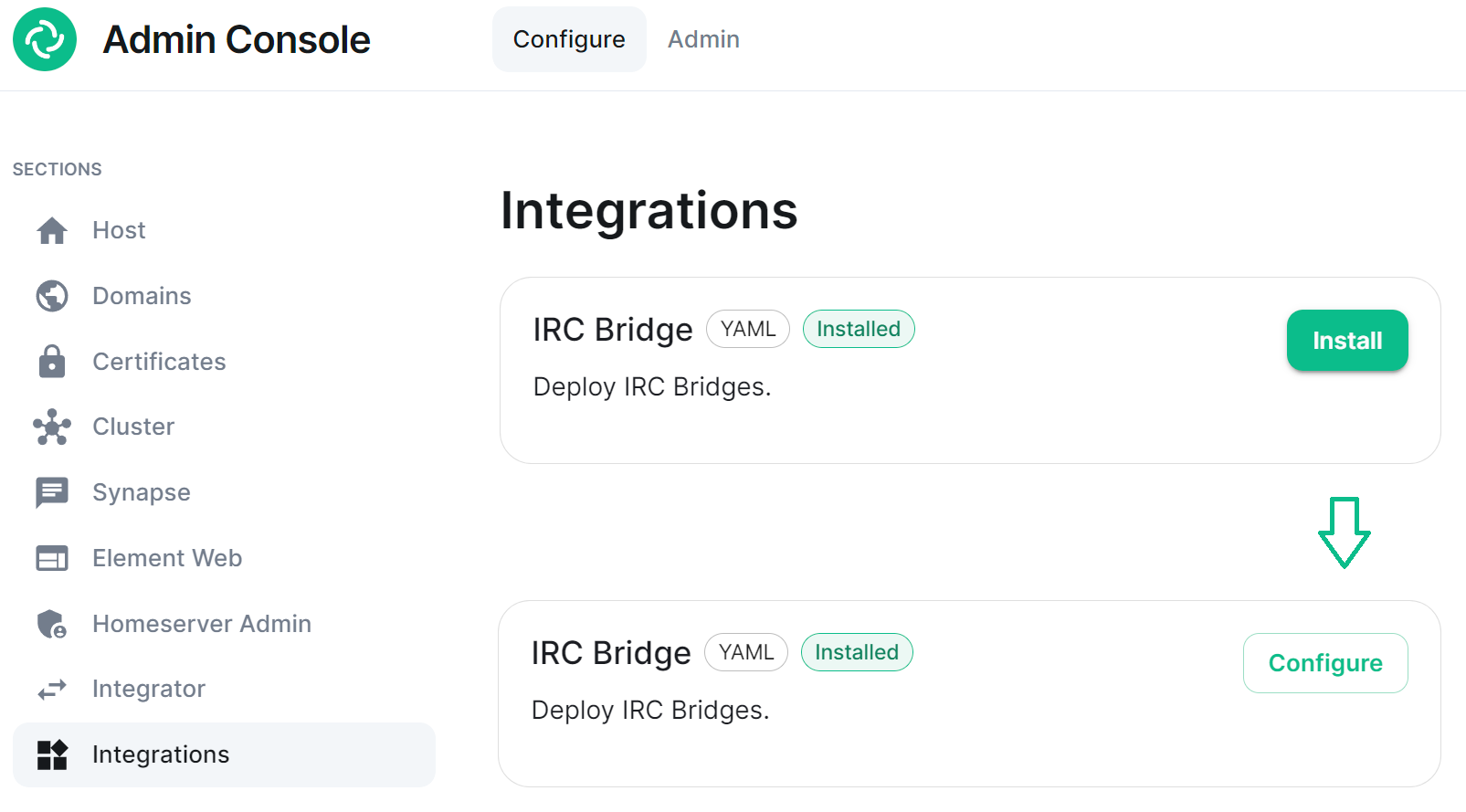
There are two sections of the Matrix IRC Bridge configuration page, the Bridge.yml section, and a section to Upload a Private Key. We'll start with the latter as it's the simplest of the two, and is referenced in the first.
Upload a Private Key
As the bridge needs to send plaintext passwords to the IRC server, it cannot send a password hash, so those passwords are stored encrypted in the bridge database. When a user specifies a password to use, using the admin room command !storepass server.name passw0rd, the password is encrypted using a RSA PEM-formatted private key. When a connection is made to IRC on behalf of the Matrix user, this password will be sent as the server password (PASS command).
Therefore you will need a Private Key file, by default called passkey.pem:
If you have a Private Key file already, simply upload the file using this sections Upload File button, supplying a RSA PEM-formatted private key.

If you don't already have one, per the instructions provided in the section itself, you should generate this file by running the following command from within the IRC Bridges' config directory:
opensslpenssl genpkey -out passkey.pem -outform PEM -algorithm RSA -pkeyopt rsa_keygen_bits:2048
``
The postgres_fqdn: ircbridge-postgresBridge.ymlUseSection
The ircbridge-postgresBridge.ymlifis the complete configuration of the Matrix IRC Bridge. It points to a private key file (Private Key Settings), and both configures the bridges' own settings and functionality (Bridge Settings), and the specific IRC services you want it to connect with (IRC Settings).
Private Key Settings
key_file: passkey.pem
By default this is the first line in the Bridge.yml config, it refers to the file either moved into the IRC Bridges' config directory, or generated in there using postgres-create-in-clusteropensslpasskey.pem.
Bridge Settings
The rest of the configuration sits under the bridged_irc_servers: otherwisesection:
bridged_irc_servers:
You'll notice all entries within are initially indented ( ) so all code blocks will include this indentation. Focusing on settings relating to the bridge itself (and not any specific IRC connection) covers everything except the address: and associated parameters: sections, by default found at yourthe externalend database.
postgres_user:Bridge.ymlPostgres
If you are using postgres-create-in-cluster. you can leave this section as-is, the default ircbridge-postgres / ircbridge / postgres_password values will ensure your setup works correctly.
- postgres_fqdn: ircbridge-postgres
  postgres_user: ircbridge
  postgres_db: ircbridge
  postgres_password: postgres_password
Otherwise you should edit as needed to connect to your existing Postgres setup:
postgres_fqdn: Provide the URL to your Postgres setup
postgres_user: Provide the user that will be used to connect to the database
postgres_db: ircbridge postgres_password: Provide the password of the user specified above
You can uncomment the following to use as needed, note if unspecified some of these will default to the advised values, you do not need to uncomment if you are usinghappy with the defaults.
postgres-create-in-clusterpostgres_data_path:postgres_password: postgres_passwordpostgres_port:postgres_create_in_clusterpwgen 32 1# postgres_create_in_cluster: truepostgres_port5432 is used if not specified. Optional.
postgres_sslmodepostgres_sslmode:'disable', however 'no-verify' and 'verify-full are For example, your Postgres section might instead look like the below:
- postgres_fqdn: https://db.example.com
  postgres_user: example-user
  postgres_db: matrixircbridge
  postgres_password: example-password
  # postgres_data_path: "/mnt/data/<bridged>-postgres"
  postgres_port: 2345
  postgres_sslmode: 'verify-full'.
'disable'IRC usedBridge ifAdmins
Within specified.the Optional
admins: @USERNAME:HOMESERVER
  admins:
  - "@adminuser:dev.local"@user-one:example.com"
  - "@adminuser2:dev2.local"@user-two:example.com"
Provisioning
Provisioning enable_presence:allows trueThisto determinesset ifspecified presencerules isabout presentedexisting room when bridging those rooms to IRC orChannels.
-
drop_matrix_messages_after_seconds:enable_provisioning:0Set this totrueto enable the use ofprovisioning_rules: -
bot_username: "ircbridgebot"provisioning_rules:The->nameuserIds:Use Regex to specifcy which User IDs to check for in existing rooms that are trying to be bridged -
exempt:List any User IDs you do not want to prevent the bridging of a room, that would otherwise meet thebot.match inconflict: -
enable_ident: falseconflict:WhetherSpecify individual User IDs, ornotusetoRegex
ident_port_type: # HostPort or NodePortprovisioning_room_limit:ident_port_number: 10230logging_level: infoenable_provisioning: trueNext, we have the provisioning rules section, which will make sure that rooms are not bridged if a match is made on these rules. This is useful for preventing bad actors on Matrix from flooding IRC. This section looks like:
provisioning_rules:
 # The bridge checks the joined members of a propective room and checks to see
 # if any users matching these regex sets are in the room. `exempt` users never
 # match, and will be ignored. If any user matches `conflict`, the room will not
 # bechannels allowed to be bridged
until
So the userexample isbridge.yml removed.config Bothbelow setswill takeblock the bridging of a regularroom expression.if it has any User IDs within it from the badguys.com homeserver except @doubleagent:badguys.com, and limit the number of bridged rooms to 50.
  enable_provisioning: true
  provisioning_rules:
    userIds:
      exempt:
     # These users never conflict, even if matching
        - "@doubleagent:badguys.com"
      conflict:
     # These users will deny a room from being bridged.
        - "@.*:badguys.com"
  provisioning_room_limit: 50
IRC Ident
If you are using the Ident protocol you can enable it usage with the following config:
-
enable_ident:Set this totrueto enable the use of IRC Ident
ident_port_type: Specify either 'HostPort' or 'NodePort' depending on your setup
ident_port_number: Specify the port number that should be used
  enable_ident: false
  ident_port_type: 'HostPort'
  ident_port_number: 10230
Miscellaneous
Finally there are a few additional options to configure:
logging_level: This specifies how detailed the logs should be for the bridge, by default this is info, but error, warn and debug are available.
kubectl logs IRC_POD_NAME -n element-onprem
enable_presence: Set to true if presence is required.
false if presence is disabled on the homeserver to avoid excess traffic.
drop_matrix_messages_after_seconds: Specify after how many seconds the bridge should drop Matrix messages, by default this is 0 meaning no messages will be dropped.
bot_username: Specify the Matrix User ID of the the bridge bot that will faciliate the creation of rooms and can be messaged by admins to perform commands.
rmau_limit: 100 Set this to the maximum number of remote monthly active users that you would like to allow in a bridged IRC room.
users_prefix: "irc_" alias_prefix: Specifiy the prefix to be used on room aliases when created via the !join command.
The defaults are usually best left as-is unless a specific need requires changing these, however for troubleshooting purposes, switching logging_level to debug can help identify issues with the bridge.
  logging_level: debug
  enable_presence: false
  drop_matrix_messages_after_seconds: 0
  bot_username: "ircbridgebot"
  rmau_limit: 100
  users_prefix: "irc_"
  alias_prefix: "irc_"
Advanced Additional Configuration
You can find more advanced configuration options by checking the config.yaml sample provided on the Matrix IRC Bridge repository.
You can ignore the servers: Setblock anas aliasconfig prefixin forthat ircsection users.should be added under the parameters: section associated with address: that will be setup per the below section. If you copy any config, ensure the identation is correct, as above, all entries within are initially indented ( ), so they are under the bridged_irc_servers: section.
IRC Settings
The final section of Bridge.yml, here you specify the IRC network(s) you want the bridge to connect with, this is done using address: and parameter: formatted like so:
-
address:Specify your desired IRC Network
  address: irc.someserver.netexample.com
  parameters:
Aside adressfrom the address of the ircIRC serverNetwork, everything is configured within the parameters: section, and so is initially indented , all code blocks will include this indentation.
Required IRC Network Configuration
At a minimum, you will need to bridge.specify Nowthe name: of your IRC Network, as well as some details for the abovebots configuration on the IRC server, we have a setside of parametersthe thatconnection.
-
name:The server name to show on the bridge."Server Name"Now below that, you'll see the botConfig with these parameters: -
botConfig: -
enabled:Keep this set astrueLeave this on. -
nick:"MatrixBot"NickSpecify the nickname of thebridgebotbotuser within IRC -
username:"matrixbot"UsernameSpecify the username of thebridgebotbot.user within IRC -
password:"some_password"PasswordOptionally specify the password of thebridgebotbot.toGenerategive to NickServ or IRC Server for thiswithnick. You can generate this by using thepwgen 32 1command
joinChannelsIfNoUsers: Set to false to prevent the bot from joining channels even if there are no Matrix users on the other side of the bridge, this defaults to true so doesn't need to be specified unless false is required.
    name: "Example IRC"
    botConfig:
      enabled: true
      nick: "MatrixBot"
      username: "matrixbot"
      password: "some_password"
There are some additional configuration lines you may wish to make use of, as these are not required, if unspecified some of these will default to the advised values. You do not need to include any of these if you are happy with the defaults.
additionalAddresses: Specify any additional addresses to connect to that can be used for load balancing between IRCDs
[] as comma-separated values, for example:
[ "irc2.example.com", "irc3.example.com" ]
onlyAdditionalAddresses: Set to true to exclusively use additional addresses to connect to servers while reserving the main address for identification purposes, this defaults to false
port: Specify the exact port to use for the IRC connection
ssl: Set to true to require the use SSL, this defaults to false
sslselfsign: Set to true if the IRC network is using a self-signed certificate, this defaults to false
sasl: Set to true should the connection attempt to identify via SASL, this defaults to false
allowExpiredCerts: Set to true to allow expired certificates when connecting to the IRC server, this defaults to false
botConfig:
joinChannelsIfNoUsers: Set to false to prevent the bot from joining channels even if there are no Matrix users on the other side of the bridge, this defaults to true so doesn't need to be specified unless false is required.
ForIf otheryou settingsend thatup canneeding alsoany of these additional configuration options, your parameters: section may look like the below example:
    name: "Example IRC"
    additionalAddresses: [ "irc2.example.com" ]
    onlyAdditionalAddresses: false
    port: 6697
      # Whether to use SSL or not. Default: false.
    ssl: true
      # Whether or not IRC server is using a self-signed cert or not providing CA Chain
    sslselfsign: false
      # Should the connection attempt to identify via SASL (if a server or user password is given)
      # If false, this will use PASS instead. If SASL fails, we do not fallback to PASS.
    sasl: false
      # Whether to allow expired certs when connecting to the IRC server.
      # Usually this should be appliedoff. Default: false.
    allowExpiredCerts: false
    botConfig:
      enabled: true
      nick: "MatrixBot"
      username: "matrixbot"
      password: "some_password"
      joinChannelsIfNoUsers: true
Deploying the IRC Bridge
Once you have make the required changes to thisyour configBridge.yml file,configuration, pleasemake see:sure you find and click the Save button at the bottom of the IRC Bridge configuration page to ensure your changes are updated.
https://github.com/matrix-org/matrix-appservice-irc/blob/develop/config.sample.yaml#L52
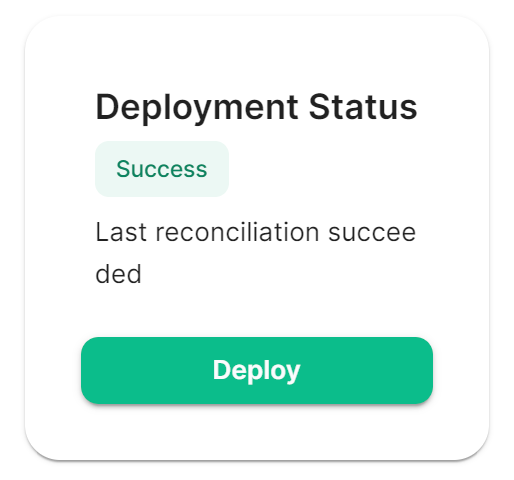
You will then need to re-run the installerDeploy for any changes to take effect.effect, as above ensure all changes made are saved then click Deploy.
Connecting to the Bridge
- From Element, send a DM to the bridge bot
/msg @ircbridgebot:element.localwhereelement.localis you servers domain name - Send the bridge
!whoisto see if you can get logged in to the IRC network