Setting up Hookshot without E2EE support in encrypted rooms
If your Hookshot instance does not have E2EE support enabled but you still want to add it to an encrypted room, you can do this with a couple of caveats:
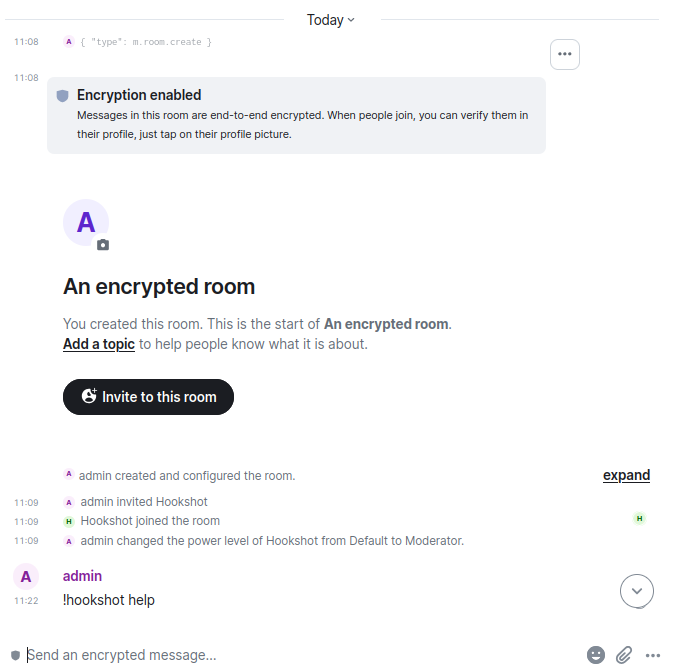 Any messages sent by Hookshot will be unencrypted
To set this up:
setup-widget command unencrypted. By design, it is impossible to send an unencrypted message into an encrypted room using Element. So to do it:
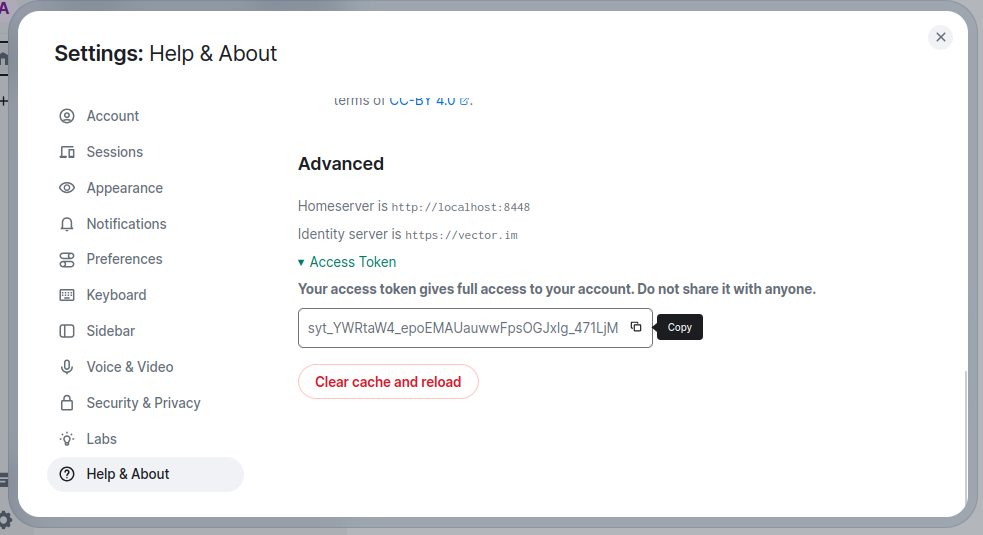
Your access token grants full access to your Matrix account, threat it carefully like you would with a password
Grab the room ID for the room you wish to add Hookshot to by clicking theRoom Info <svg xmlns="http://www.w3.org/2000/svg" width="1em" height="1em" fill="currentColor" viewBox="0 0 24 24"> button, then Settings in the right column
Under Advanced, copy the Internal room ID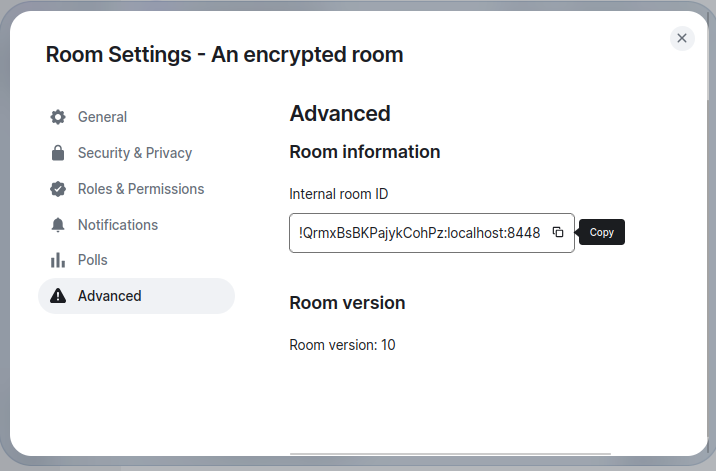 Replace the leading
 ! (exclamation mark) with %21 (for example, !QrmxBsBKPajykCohPz:localhost:8448 becomes %21QrmxBsBKPajykCohPz:localhost:8448)
Find the URL where your Matrix server is exposed. This may not be the same as the domain in your Matrix ID
Open a terminal on your computer. On Windows; PowerShell, on Mac; Terminal
Send the command below for your operating system. Replace domain-where-your-matrix-server-is-exposed, room-id and access-toke with the values from earlier. Note, if you are sending more than one message using your terminal, you need to change 1234 to another value each time.
curl --request PUT \
  --url 'https://domain-where-your-matrix-server-is-exposed/_matrix/client/r0/rooms/room-id/send/m.room.message/1234' \
  --header 'Authorization: Bearer access-token' \
  --header 'content-type: application/json' \
  --data '{
	"msgtype":"m.text",
	"body":"!hookshot setup-widget"
}'
curl --request PUT \
  --url 'https://localhost:8448/_matrix/client/r0/rooms/%21QrmxBsBKPajykCohPz:localhost:8448/send/m.room.message/1234' \
  --header 'Authorization: Bearer syt_YWRtaW4_epoEMAUauwwFpsOGJxIg_471LjM' \
  --header 'content-type: application/json' \
  --data '{
	"msgtype":"m.text",
	"body":"!hookshot setup-widget"
}'
$url = "https://domain-where-your-matrix-server-is-exposed/_matrix/client/r0/rooms/room-id/send/m.room.message/1234"

$headers = @{
    "Authorization" = "Bearer access-token"
    "Content-Type" = "application/json"
}

$body = @{
    msgtype = "m.text"
    body = "!hookshot setup-widget"
} | ConvertTo-Json

Invoke-RestMethod -Uri $url -Method Put -Headers $headers -Body $body
$url = "https://localhost:8448/_matrix/client/r0/rooms/%21QrmxBsBKPajykCohPz:localhost:8448/send/m.room.message/1234"

$headers = @{
    "Authorization" = "Bearer syt_YWRtaW4_epoEMAUauwwFpsOGJxIg_471LjM"
    "Content-Type" = "application/json"
}

$body = @{
    msgtype = "m.text"
    body = "!hookshot setup-widget"
} | ConvertTo-Json

Invoke-RestMethod -Uri $url -Method Put -Headers $headers -Body $body

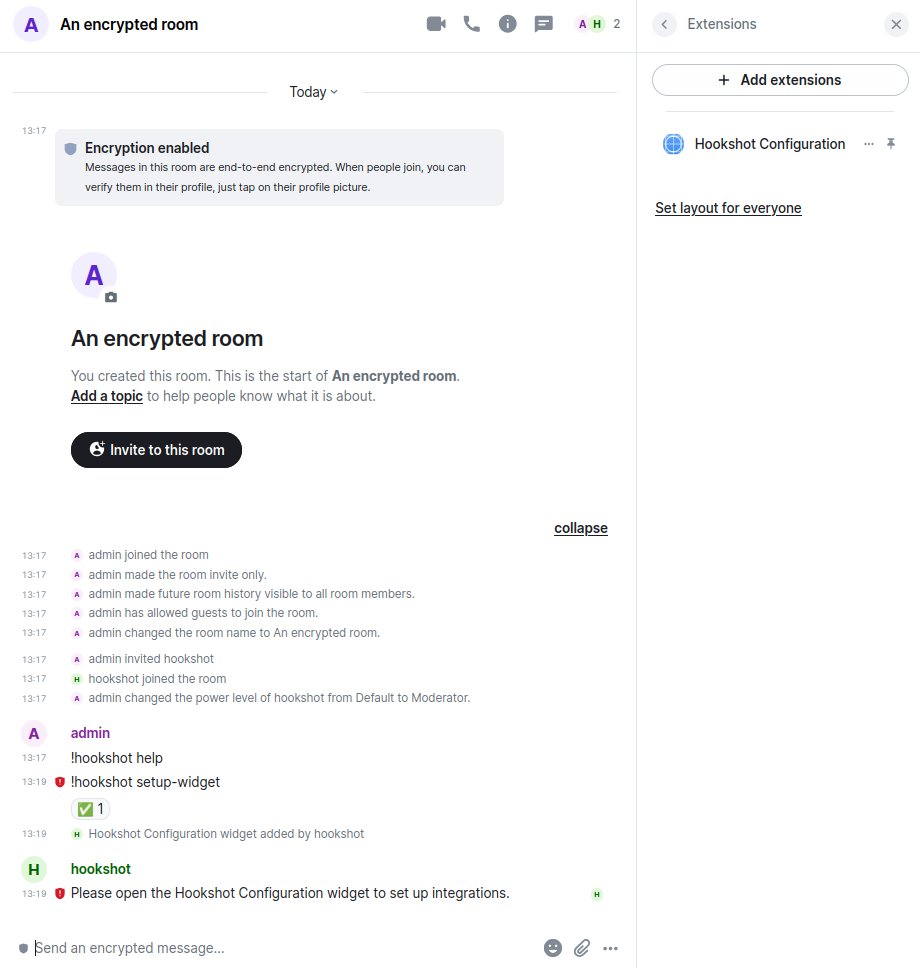
My message was sent without encryption and Hookshot responded. You can now use Hookshot via the widget normally.
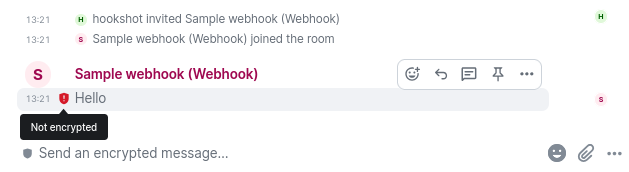
Note that all messages sent by Hookshot remain unencrypted. Element warns you with the red shield on the messages.