
Setting up Delegated Authentication With the Installer
Delegated Authentication
At present, we support delegating the authentication of users to the following provider interfaces:
- LDAP
- SAML
- OIDC
- CAS
When enabling Delegated Auth, you can still allow local users managed by Element to connect to the instance
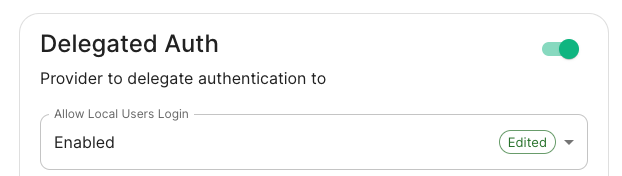
When Allow Local Users Login is Enabled, you can both connect to your instance using your IDP and the local database.

LDAP with Windows AD
-
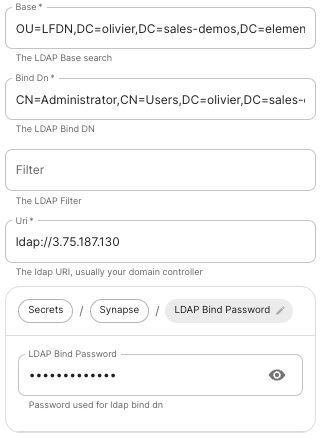
Base: the distinguished name of the root level Org Unit in your LDAP directory.The distinguished name can be displayed by selecting
View/Advanced Featuresin the Active Directory console and then, right-clicking on the object, selectingProperties/Attributes Editor.
-
Base Dn: the distinguished name of the LDAP account with read access. -
Filter: an LDAP filter to filter out objects under the LDAP Base DN. -
Uri: the URI of your LDAP server. -
LDAP Bind Password: the password of the LDAP account with read access.
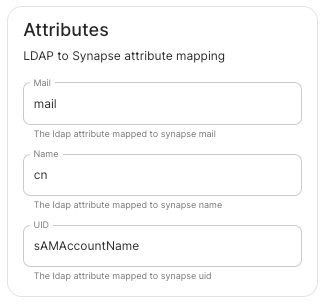
SAML

OpenID
Microsoft Azure Active Directory
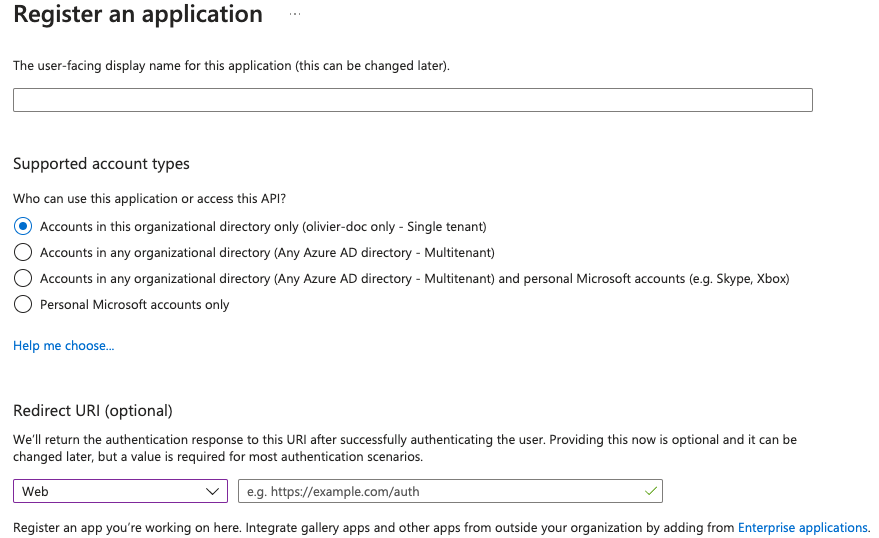
- You need to create an
App registration. - You have to select
Redirect URI (optional)and set it to https://matrix.your-domain.com/_synapse/client/oidc/callback
For the bridge to be able to operate correctly, navigate to API permissions, add Microsoft Graph APIs, choose Delegated Permissions and add
- openid
- profile
Remember to grant the admin consent for those.
To setup the installer, you'll need
- the
Application (client) ID - the
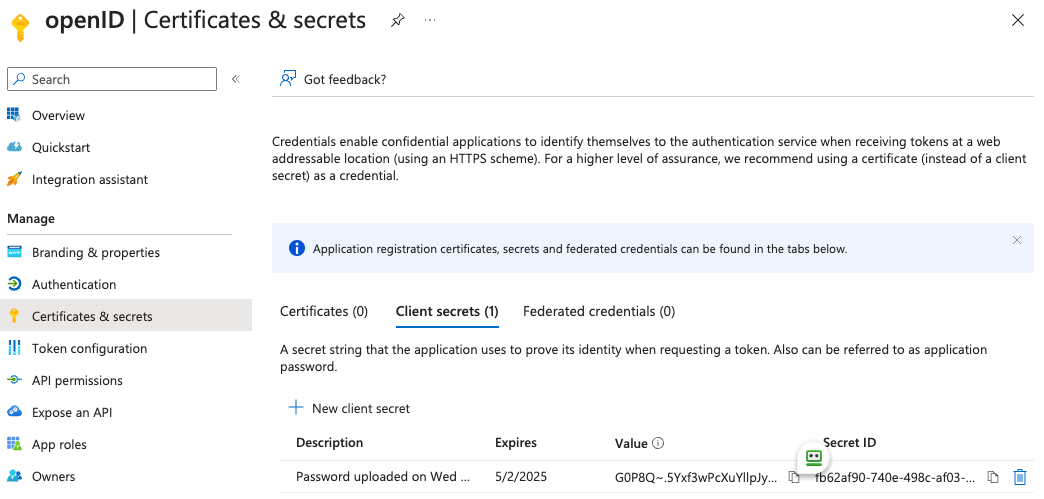
Directory (tenant) ID - a secret generated from
Certificates & secretson the app.
In the installer, select:
-
Allow Existing Users: if checked, it allows a user logging in via OIDC to match a pre-existing account instead of failing. This could be used if switching from password logins to OIDC. -
Authorization Endpoint: the oauth2 authorization endpoint. Required if provider discovery is disabled.https://login.microsoftonline.com/<Directory (tenant) ID>/oauth2/v2.0/authorize
-
Backchannel Logout Enabled: Synapse supports receiving OpenID Connect Back-Channel Logout notifications. This lets the OpenID Connect Provider notify Synapse when a user logs out, so that Synapse can end that user session. This property has to bet set tohttps://your-domain/_synapse/client/oidc/backchannel_logoutin your identity provider
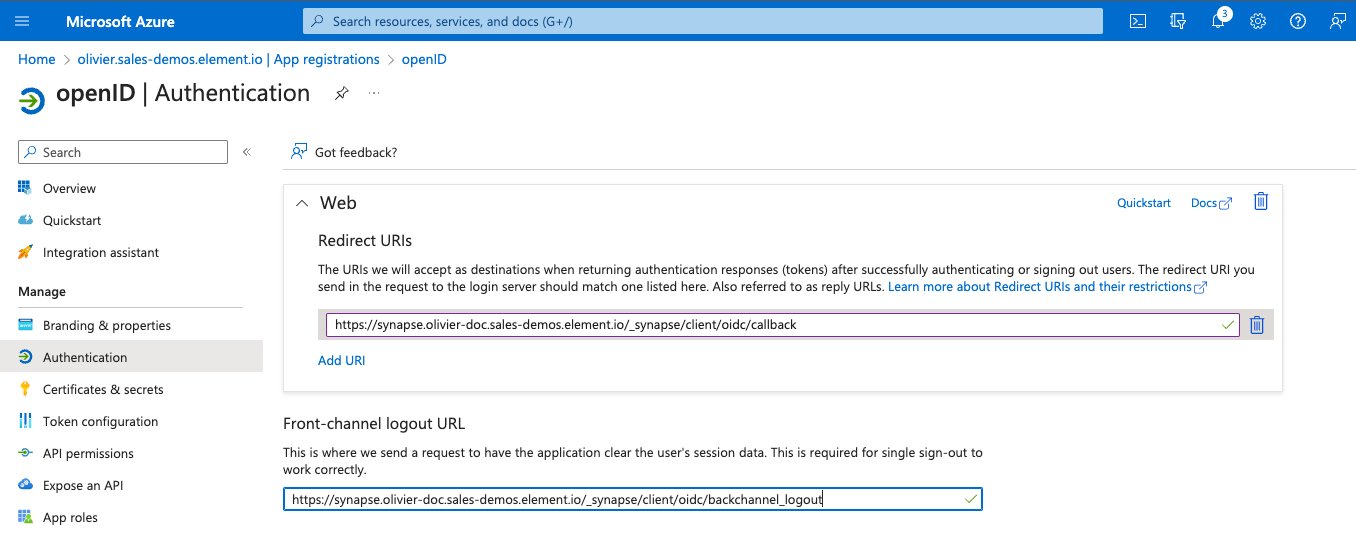
-
Client Auth Method: auth method to use when exchanging the token. Set it toClient Secret Postor any method supported by your Idp -
Client ID: yourApplication (client) ID -
Discover: enable/disable the use of the OIDC discovery mechanism to discover endpoints -
Idp Brand: an optional brand for this identity provider, allowing clients to style the login flow according to the identity provider in question -
Idp ID: a string identifying your identity provider in your configuration -
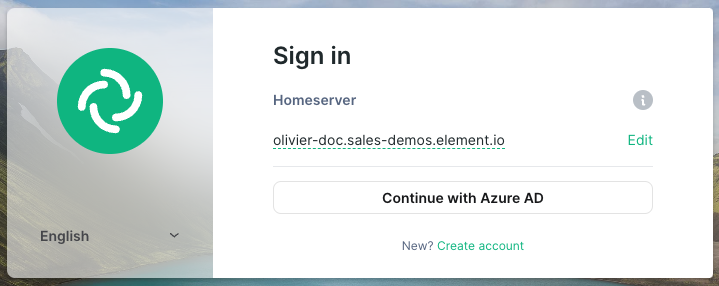
Idp Name: A user-facing name for this identity provider, which is used to offer the user a choice of login mechanisms in the Element UI. In the screenshot bellow,Idp Nameis set toAzure AD
-
Issuer: the OIDC issuer. Used to validate tokens and (if discovery is enabled) to discover the provider's endpointshttps://login.microsoftonline.com/<Directory (tenant) ID>/v2.0
-
Token Endpoint: the oauth2 authorization endpoint. Required if provider discovery is disabled. -
Client Secret: your secret value defined under "Certificates and secrets"
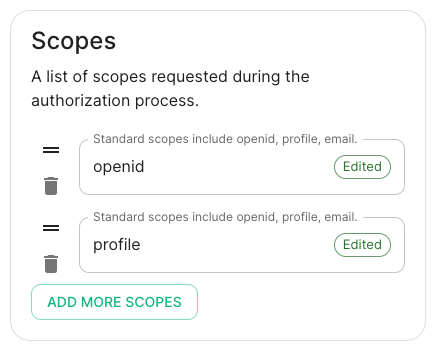
- Scopes: add every scope on a different line
- The openid scope is required which translates to the Sign you in permission in the consent UI
- You might also include other scopes in this request for requesting consent.
-
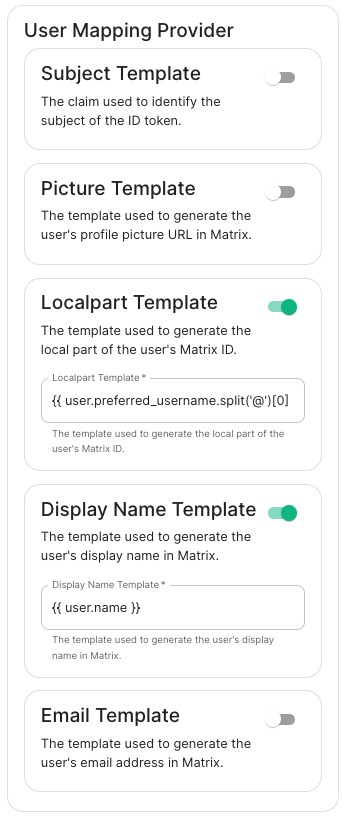
User Mapping Provider: Configuration for how attributes returned from a OIDC provider are mapped onto a matrix user.
-
Localpart Template: Jinja2 template for the localpart of the MXID. Set it to{{ user.preferred_username.split('@')[0] }}for Azure AD -
Display Name Template: Jinja2 template for the display name to set on first login. If unset, no displayname will be set. Set it to{{ user.name }}for Azure AD
Other configurations are documented here.
-
