
Setting up Adminbot and Auditbot
Overview
Adminbot allows for an Element Administrator to become admin in any existing room or space on a managed homeserver. This enables you to delete rooms for which the room administrator has left your company and other useful administration actions.
Auditbot allows you to have the ability to export any communications in any room that the auditbot is a member of, even if encryption is in use. This is important in enabling you to handle compliance requirements that require chat histories be obtainable.
On using Admin Bot and Audit Bot
Currently, we deploy a special version of Element Web to allow you to log in as the adminbot and auditbot. Given this, please do not make changes to widgets in rooms while logged in as the adminbot or the auditbot. The special Element Web does not have any custom settings that you have applied to the main Element Web that your users use and as such, you can cause problems for yourself by working with widgets as the adminbot and auditbot. In the future, we are working to provide custom interfaces for these bots.
Configuring Admin Bot
From the Installer's Integrations page, click "Install" under "Admin Bot"
ForYou will then see the adminbot.ymlfollowing:
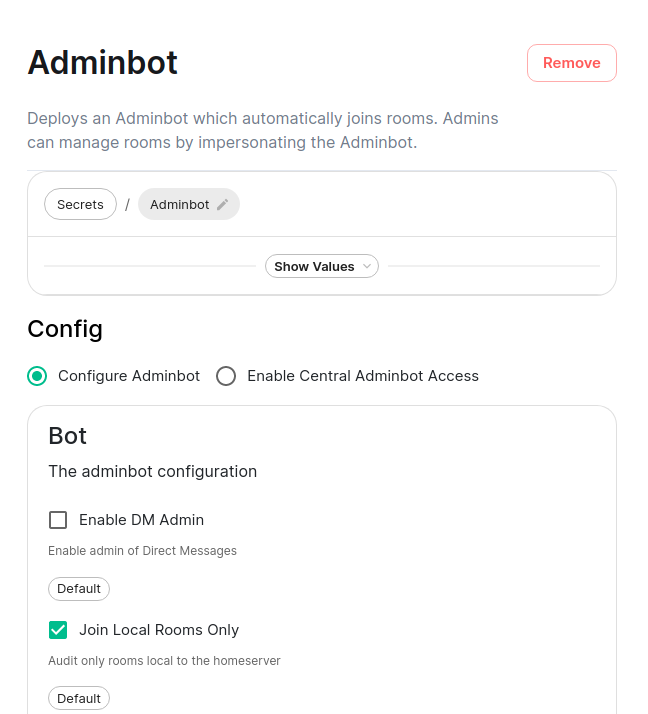
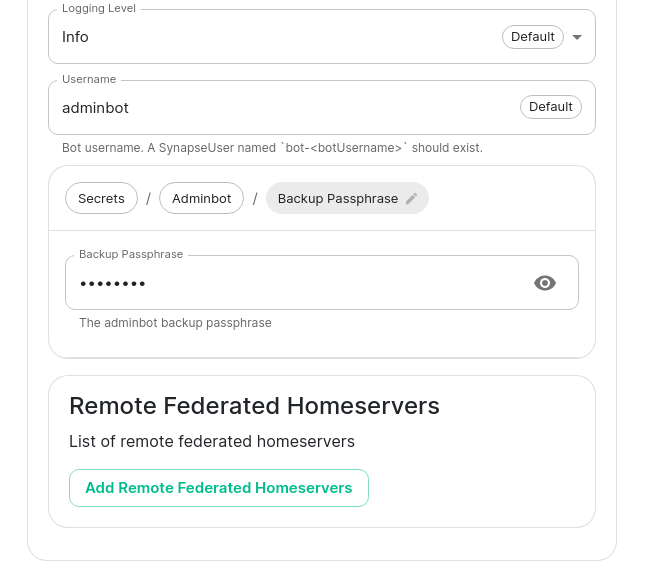
Your first choice is to configure adminbot or enable this server as part of a federated adminbot cluster. For most cases, you'll want to select "Configure Adminbot".
Below this, we have a checkbox to either allow the installer, edit the file and ensure the following values are set:
bot_backup_phrase: adminsecret
bot_data_path: /mnt/data/adminbot
bot_data_size: 10M

enable_dm_admin: false

join_local_rooms_only: true
access_elementweb_fqdn: adminbot.airgap.local
Let's discuss them:
We also have a checkbox to join local rooms only. You probably want to leave this phrase with anyone. This is required.
Moving on, we also have the ability to change the path,logging pleaselevel do,and butset forthe mostusername cases,of youthe canbot.
After thisthis, alone.we Ifhave youthe are deployingability to Kubernetes,set youthe need"Backup Passphrase" which is used to commentgain this out!
Two defaults to false andsettings that behavior means that adminbot will not join DMs. If you want full control of DMs, simply set this to true.
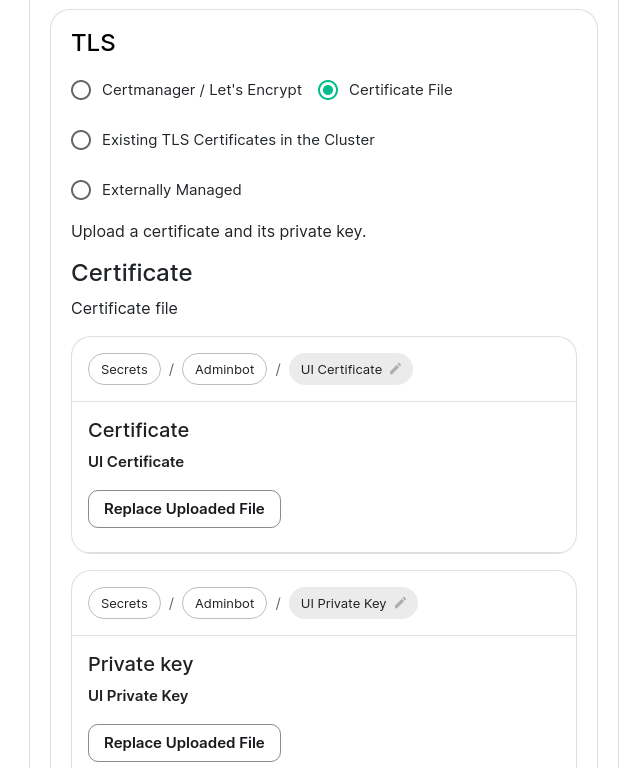
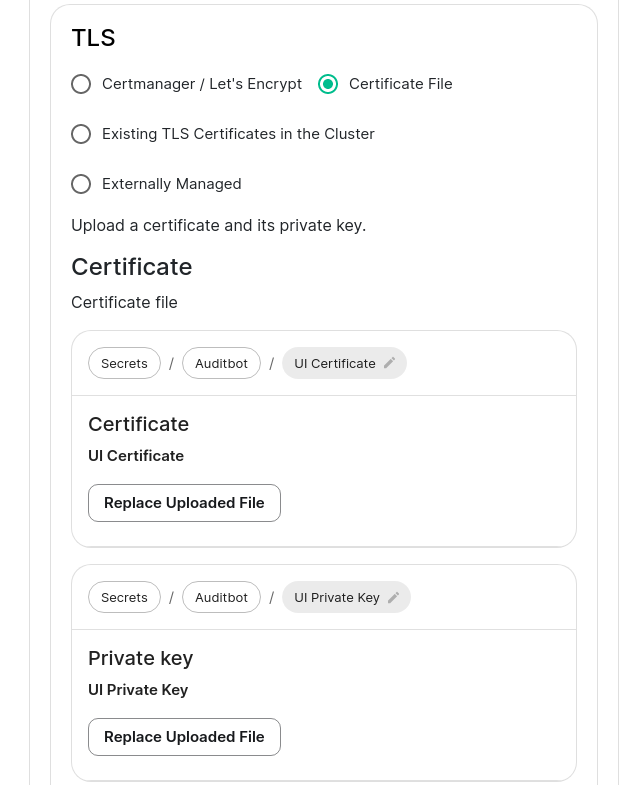
true~/.element-enterprise-server/config/legacy/certsadminbot.airgap.localadminbot.airgap.local.crtadminbot.airgap.local.key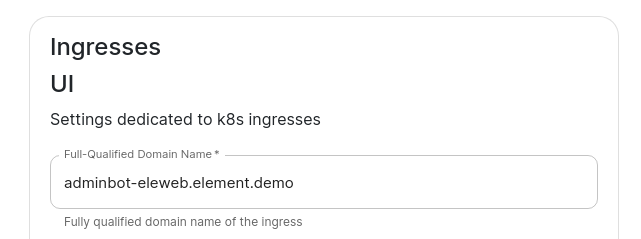
and tothen:
Configuring Audit Bot
From the Installer's Integrations page, click "Install" under "Audit Bot".
ForYou will then see the auditbot.ymlfollowing:
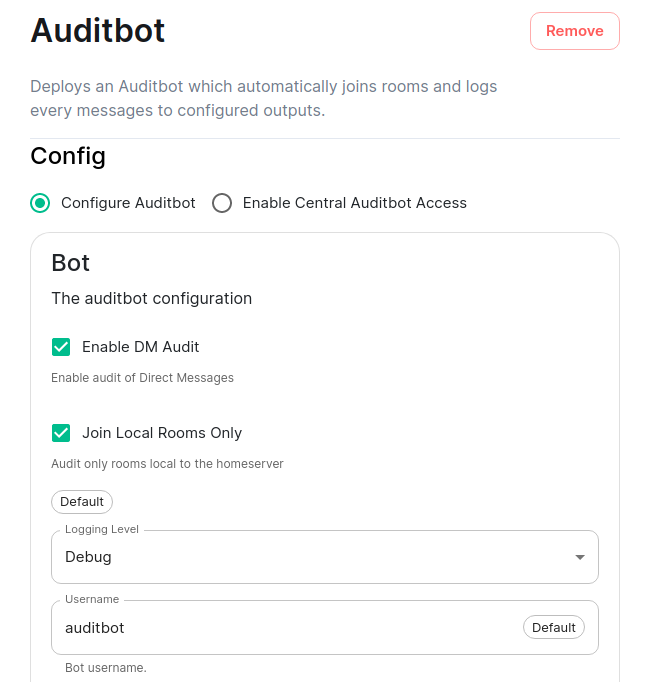
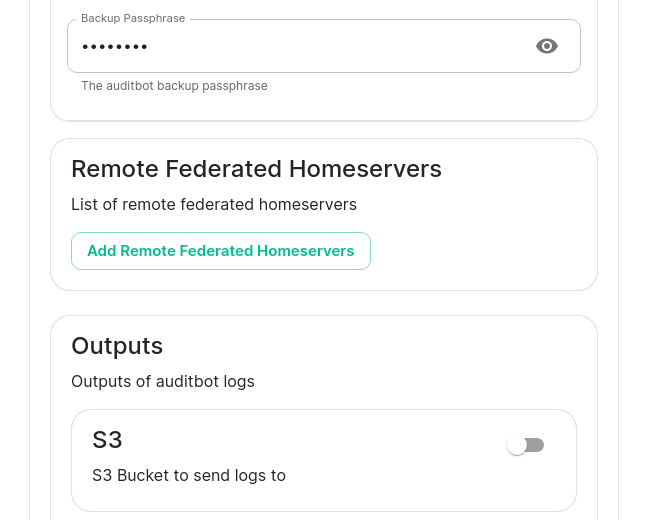
Your first choice is to configure auditbot or enable this server as part of a federated auditbot cluster. For most cases, you'll want to select "Configure Auditbot".
Below this, we have a checkbox to either allow the installer, edit the file and ensure the following values are set:
bot_backup_phrase: auditsecret
bot_data_path: /mnt/data/auditbot
bot_data_size: 10M

join_local_rooms_only: true
enable_dm_audit: false
access_elementweb_fqdn: auditbot.airgap.local

### optional :the S3 bucket whereadminbot to storeparticipate thein auditDM logsrooms #s3_bucket:(rooms #s3_access_key_id:with #s3_secret_access_key:1-2 #s3_key_prefix:people) #s3_region:or #s3_endpoint:not.
###
We optionalalso :have thea checkbox to join local logfilerooms settings.only. UsedYou ifprobably s3 bucket is not enabled.
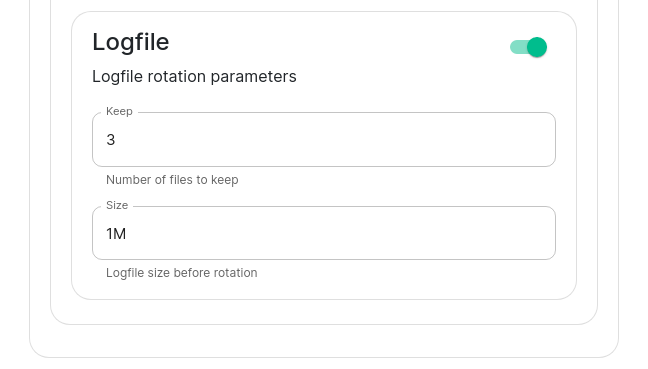
logfile_size: 1M
logfile_keep: 3
Let's discuss them:
Moving on, we also have the ability to change the path,logging pleaselevel do,and butset forthe mostusername cases,of the bot.
After this, we have the ability to set the "Backup Passphrase" which is used to gain access to the key backup store.
You can also configure an S3 bucket to log to and you can leaveconfigure thishow alone.many Iflogfiles youshould arebe deployingkept and how large a log file should be allowed to Kubernetes,grow youto. needBy default, the auditbot will log to comment this out!
trueTwo andsettings that behavior means that adminbot will only join rooms on your local homeserver.
falsetrue~/.element-enterprise-server/config/legacy/certsauditbot.airgap.localauditbot.airgap.local.crtauditbot.airgap.local.key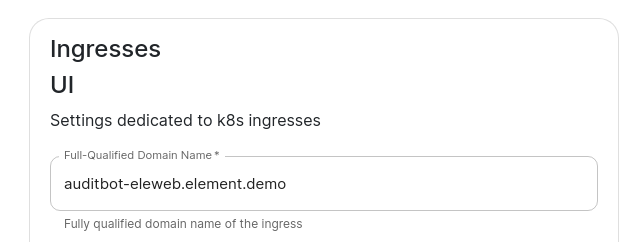
Adminbot Federation
On the central admin bot server
CompleteYou will pick "Configure Admin Bot" and will fill in everything from the valuesabove Adminbot configuration instructions, but you will also add Remote Federated Homeservers in this interface:
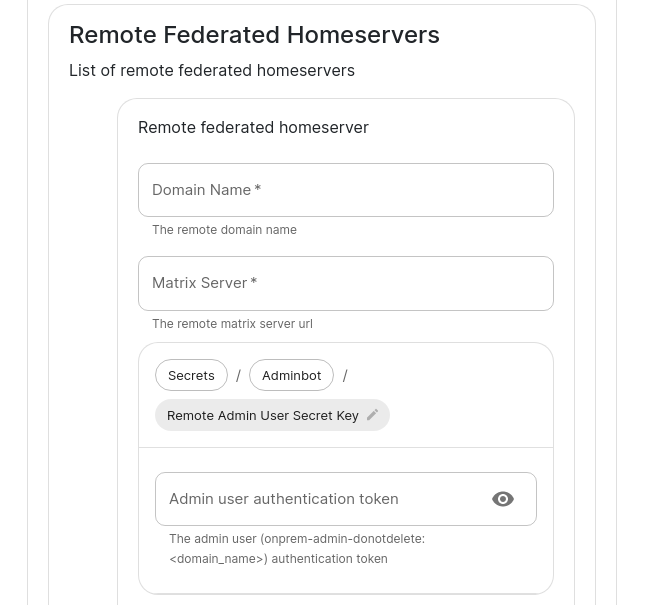
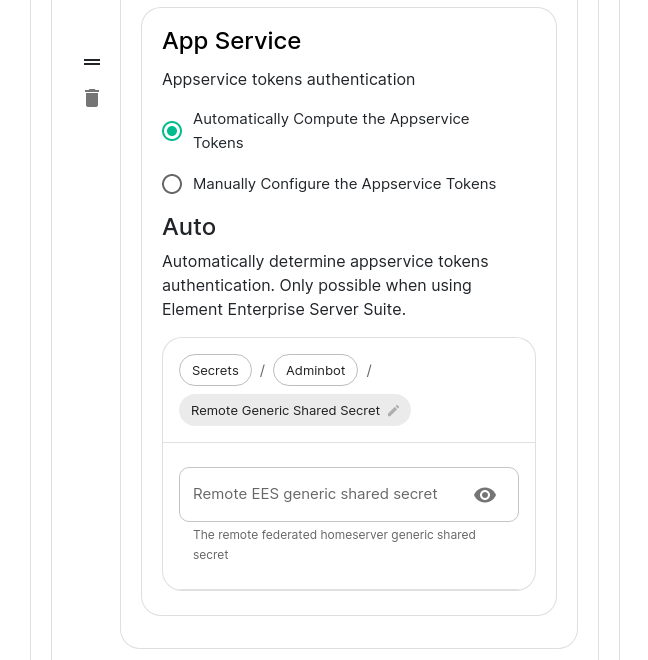
You will need to fill out this form for theeach providedremote central.ymlserver inthat will join the installerfederation. interface.You Herewill isneed anto explanation ofset the parameters:domain name and the matrix server for each to get started.
adminbot_fqdnYou will bealso targetedneed byto remote federated servers asgrab the centralAdmin audituser authentication token for each server
remote_federated_homeserversmatrix_serverdomain_namegeneric_shared_secretadminuser_tokenkubectl get synapseusers/adminuser-donotdelete -n element-onprem -o yaml. status.accessToken.
Then
as_tokenkubectl get -n element-onprem secrets first-element-deployment-synapse-secrets -o yaml | grep registration and looking at the hs_tokenadminuser_tokenOn the remote admin bot server
CompleteInstead of selecting "Configure Adminbot", you will pick "Enable Central Adminbot Access" and will then be presented with this UI:
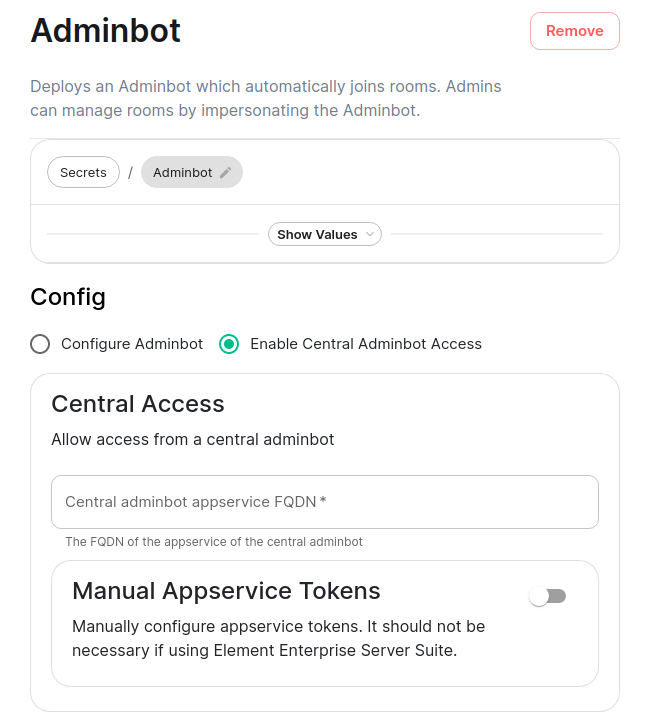
You will then specify the access.yml file in the installer interface by providing the fqdnFQDN of the central admin botadminbot server.
central_adminbot_fqdnadminbot_fqdnAuditbot Federation
On the central auditbot server
CompleteYou will pick "Configure Audit Bot" and will fill in everything from the valuesabove Auditbot configuration instructions, but you will also add Remote Federated Homeservers in this interface:
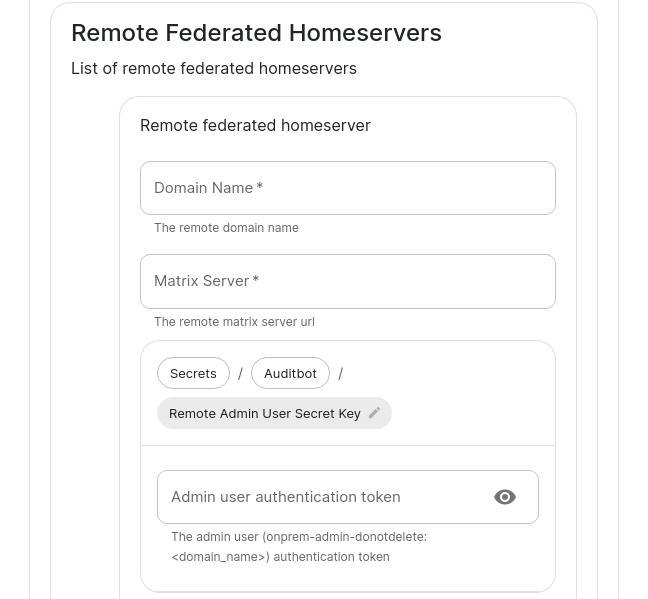
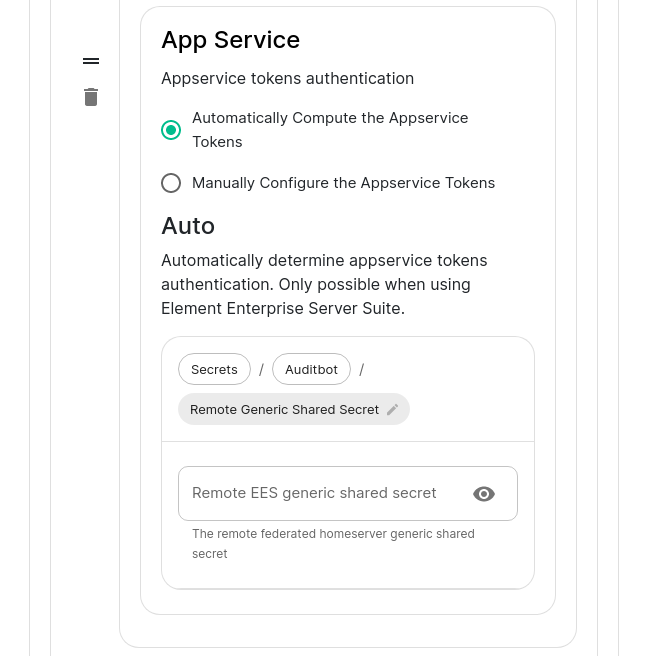
You will need to fill out this form for theeach providedremote central.ymlserver inthat will join the installerfederation. interface.You Herewill isneed anto explanation ofset the parameters:domain name and the matrix server for each to get started.
auditbot_fqdnYou will bealso targetedneed byto remote federated servers asgrab the centralAdmin audituser authentication token for each server
remote_federated_homeserversmatrix_serverdomain_namegeneric_shared_secretadminuser_tokenkubectl get synapseusers/adminuser-donotdelete -n element-onprem -o yaml. status.accessToken.
Then
as_tokenkubectl get -n element-onprem secrets first-element-deployment-synapse-secrets -o yaml | grep registration and looking at the hs_tokenadminuser_tokenOn the remote audit bot server
CompleteInstead of selecting "Configure Auditbot", you will pick "Enable Central Auditbot Access" and will then be presented with this UI:
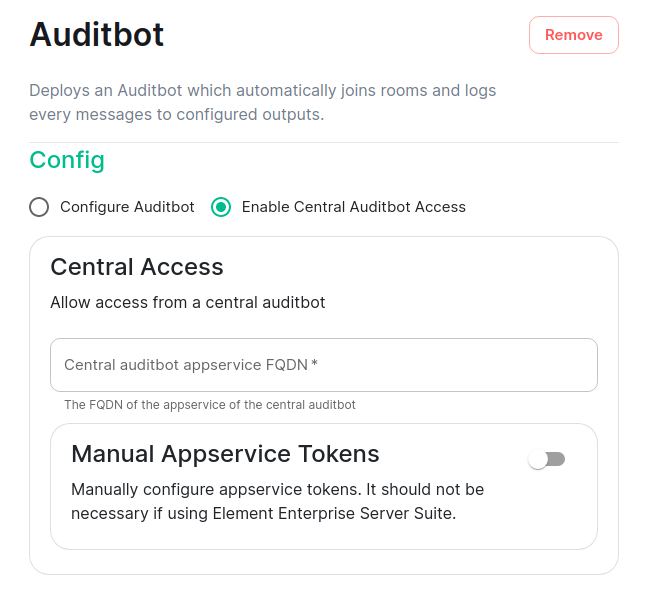
You will then specify the access.yml file in the installer interface by providing the fqdnFQDN of the central audit botauditbot server.
central_auditbot_fqdnauditbot_fqdn