Disclaimer: This guide refers to using the Element Matrix clients, Element Web or Element Desktop apps
### Creating your Matrix Account Depending on your homeserver, and it's configuration, the sign-up process may differ slightly, however the overall process should largely follow these steps. From your Matrix Client, click `Create Account`, then make sure to change the homeserver as needed. You can do this by clicking `Edit` next to the current homeserver name. Once a homeserver is selected, the client will then show you the available registration / authentication methods. [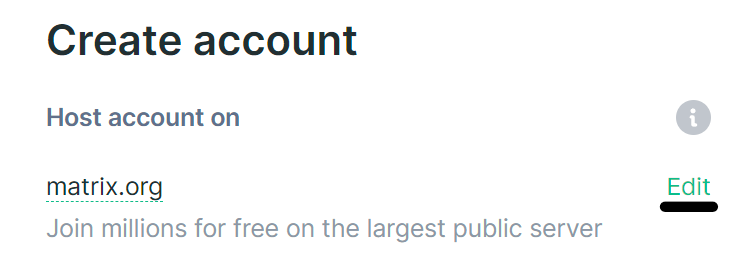](https://ems-docs.element.io/uploads/images/gallery/2023-06/image-1686041959863.png) #### External Services External service registration allows you to register for your account using a handful of different login providers, For example, matrix.org allows sign-up using a number of external services, including GitHub.If you choose to register using an external service, you will not be able to use it with any other account, including if you deactivate the account it is associated with.
#### Username, Password and Email For the initial stage of the registration flow, you will need to choose a username, otherwise known as your Matrix ID (MXID). Like email it follows a standardized format, `@username:homeserver.com`, for example a username of `example-name` on the `matrix.org` homeserver would be `@example-name:matrix.org`. Choose carefully, it isn't possible to change your MXID, you will however have a display name, that is freely changeable. You will also be able to provide an email, this is an optional field, if you add an email you will be able to reset your password. Additionally, adding an email allows you to opt-in to be discoverable by existing contacts. #### Privacy Policy Before your account can be created, you may need to review and accept any policies of the homeserver you wish to join. Do so by clicking the `Privacy Policy` link and reading through the document - if you accept the policy, confirm by clicking the checkbox and clicking `Accept`. ### Creating a Matrix Account on your Homeserver If you're an EMS customer, you can create your users via the Server Admin tab of the EMS Control Panel. Alternatively you can make use of the Synapse Admin API to create a Matrix Account on a homeserver you hold an Admin account on. To do so, you will need to use Create or Modify Account from the User Admin API. ``` https://HOMESERVER_URL/_synapse/admin/v2/users/FULL_USERNAME ``` ```json { "password": "user_password", "displayname": "User", "threepids": [ { "medium": "email", "address": "