Configuration options relating to how Media uploaded to your homeserver is handled by ESS.
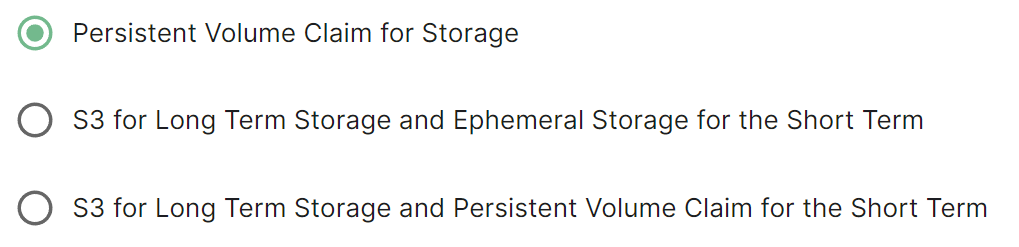
The Media section allows you to customise where media uploaded to your homeserver should be stored and the maximum upload size. By default this is to a Persistent Volume Claim (PVC) however you can also configure options for using S3.
All settings configured via the UI in this section will be saved to your deployment.yml, with the contents of secrets being saved to secrets.yml. You will find specific configuration examples in each section.
By default, if you do not change any settings on this page, defaults will be added to your configuration file/s (see example below).
Config Example
- `deployment.yml`
```yml
spec:
components:
synapse:
config:
media:
maxUploadSize: 100M
volume:
size: 50Gi
```
### Config
#### Media
[](https://ems-docs.element.io/uploads/images/gallery/2024-08/image-1724316136629.png)
Config Example
```yml
spec:
components:
synapse:
config:
media:
volume: # Present if you select either Persistent Volume Claim option
size: 50Gi
```
Selecting either Persistent Volume Claim configuration option will default to using a `50Gi` volume for media.
##### S3
[](https://ems-docs.element.io/uploads/images/gallery/2024-08/image-1724317207274.png)
Config Example
```yml
spec:
components:
synapse:
config:
media:
s3:
bucket: example_bucket_name
prefix: example_prefix
storageClass: STANDARD # Not present if left as default
```
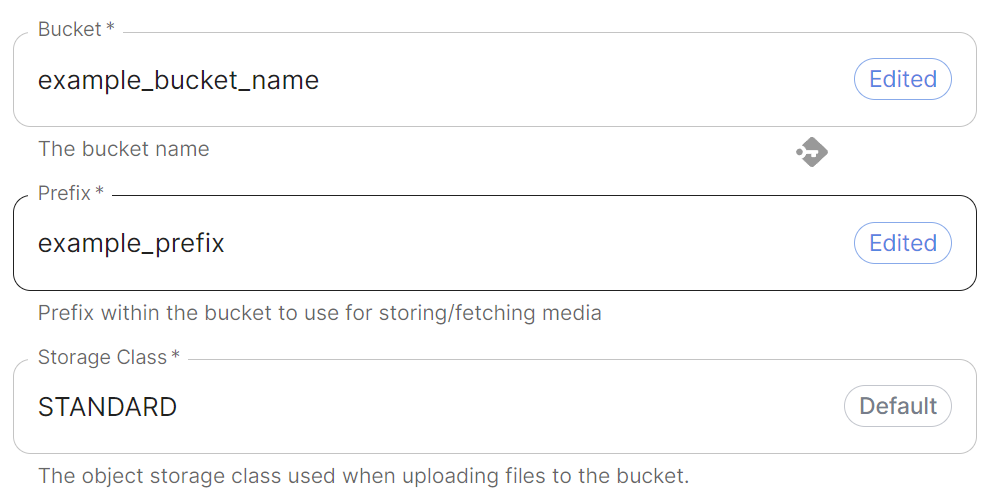
Provide your bucket name and a prefix within the bucket to use. You can also adjust the storage class however it is recommended to leave it as `STANDARD` unless you have a specific requirement to change.
##### Authentication
[](https://ems-docs.element.io/uploads/images/gallery/2024-08/image-1724317470948.png)
Config Example
- `secrets.yml`
```yml
apiVersion: v1
kind: Secret
metadata:
name: synapse
namespace: element-onprem
data:
mediaS3StorageAccessKeyId: ZXhhbXBsZWFjY2Vzc2tleWlk
mediaS3StorageSecretKey: ZXhhbXBsZXNlY3JldGFjY2Vzc2tleQ==
```
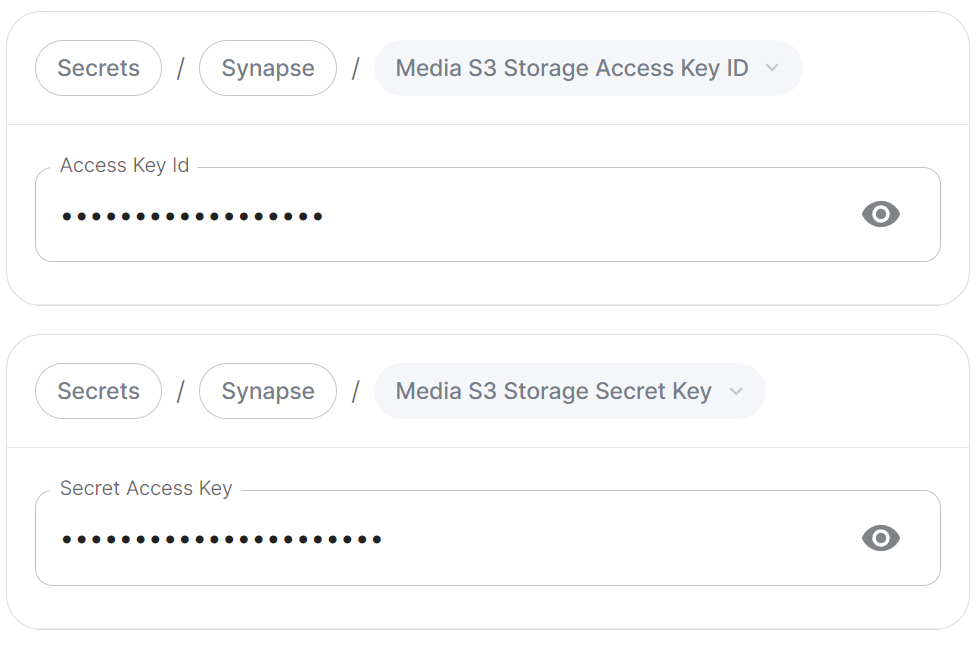
Provide any credentials (`Access Key` ID and `Secret Access Key`) required to authenticate access to the specified S3 bucket.
##### Region
[](https://ems-docs.element.io/uploads/images/gallery/2024-08/image-1724317725103.png)
Config Example
```yml
spec:
components:
synapse:
config:
media:
s3:
region: eu-central-1 # Not present if disabled
```
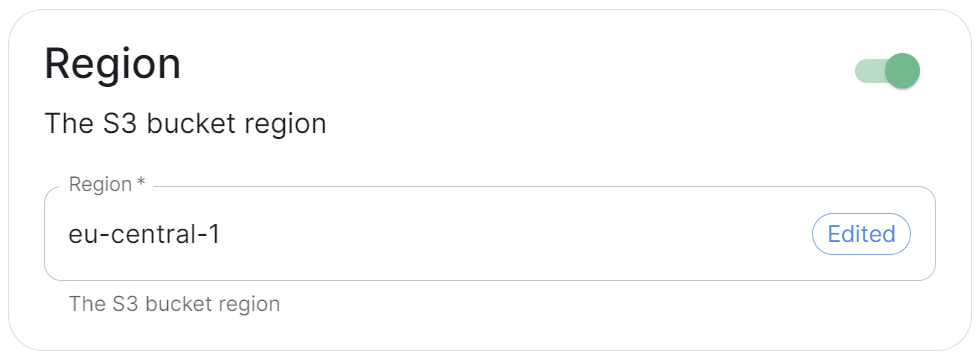
Toggle on this section to be able to specify the S3 bucket region you wish to use.
##### Endpoint URL
[](https://ems-docs.element.io/uploads/images/gallery/2024-08/image-1724318298780.png)
Config Example
```yml
spec:
components:
synapse:
config:
media:
s3:
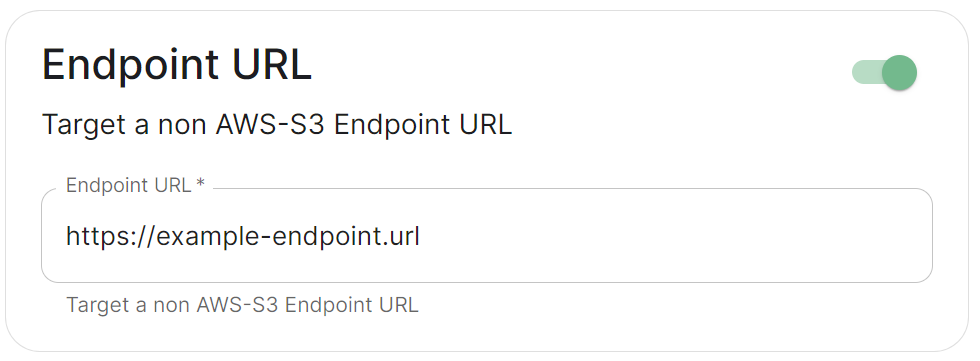
endpointUrl: https://example-endpoint.url # Not present if disabled
```
Toggle on this section to be able to specify a non-AWS S3 endpoint URL.
##### Local Cleanup
[](https://ems-docs.element.io/uploads/images/gallery/2024-11/image-1731070698098.png)
Config Example
```yml
spec:
components:
synapse:
config:
media:
s3:
# Not present if disabled
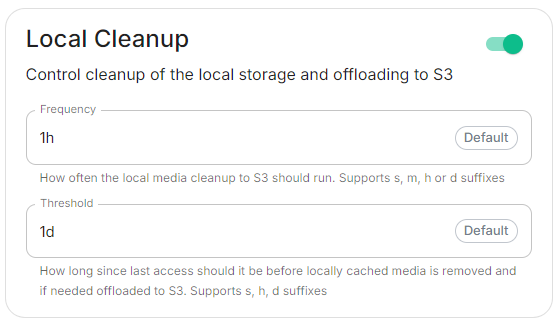
# localCleanup: {} # If defaults left as-is
localCleanup:
frequency: 2h # Only present if changed from default
threshold: 2d # Only present if changed from default
```
Toggle on this section to control the frequency of local storage cleanup and the threshold since media was last accessed before it should be offloaded to S3.
#### Max Upload Size
[](https://ems-docs.element.io/uploads/images/gallery/2024-08/image-1724316586345.png)
Config Example
```yml
spec:
components:
synapse:
config:
media:
maxUploadSize: 100M
```
By default the Max Upload size is `100M`, here you can adjust this value to allow for larger or smaller uploads on your homeserver. The desired file size should be specified in bytes ending with `M` or `K`.