Configure and/or provide the certificates that should be used for each domain served by ESS.
The third section of the ESS installer GUI is the Domains section, here you will configure the certificates to use for each previously specified domain name.
Certificate details configured via the UI in this section will be saved to your deployment.yml under each of the components' k8s: ingress: configuration with the cert contents (if manually uploaded) being saved to a secrets.yml in Base64.
This section covers all certificates to be used by the main components deployed by the installer, additional certificates may be required when enabling specific integrations - you will specify integration specific certificates on each respective integrations' page.
Config Example
- `deployment.yml`
```yml
spec:
components:
elementWeb:
k8s:
ingress:
tls: # Selecting `Certmanager Let's Encrypt`
certmanager:
issuer: letsencrypt
mode: certmanager
secretName: element-web
integrator:
k8s:
ingress:
tls: # Selecting `Certificate File`
certificate:
certFileSecretKey: integratorCertificate
privateKeySecretKey: integratorPrivateKey
mode: certfile
secretName: integrator
synapse:
k8s:
ingress:
tls: # Selecting `Existing TLS Certificates in the Cluster`
mode: existing
secretName: example
secretName: synapse
synapseAdmin:
k8s:
ingress:
tls: # Selecting `Externally Managed`
mode: external
secretName: synapse-admin
wellKnownDelegation:
k8s:
ingress:
tls:
mode: external
secretName: well-known-delegation
```
- `secrets.yml`
```yml
apiVersion: v1
kind: Secret
metadata:
name: element-web
namespace: element-onprem
data:
elementWebCertificate: >-
exampleBase64EncodedString
elementWebPrivateKey: >-
exampleBase64EncodedString
---
apiVersion: v1
kind: Secret
metadata:
name: integrator
namespace: element-onprem
data:
certificate: >-
exampleBase64EncodedString
privateKey: >-
exampleBase64EncodedString
---
apiVersion: v1
kind: Secret
metadata:
name: synapse
namespace: element-onprem
data:
synapseCertificate: >-
exampleBase64EncodedString
synapsePrivateKey: >-
exampleBase64EncodedString
---
apiVersion: v1
kind: Secret
metadata:
name: synapse-admin
namespace: element-onprem
data:
synapseAdminUICertificate: >-
exampleBase64EncodedString
synapseAdminUIPrivateKey: >-
exampleBase64EncodedString
---
apiVersion: v1
kind: Secret
metadata:
name: well-known-delegation
namespace: element-onprem
data:
wellKnownDelegationCertificate: >-
exampleBase64EncodedString
wellKnownDelegationPrivateKey: >-
exampleBase64EncodedString
```
You will need to configure certificates for the following components:
- Well-Known Delegation
- Well-Known files are served on the base domain, i.e. `https://example.com/.well-known/matrix/client` and `https://example.com/.well-known/matrix/server`.
- Synapse
- Please note, if you opt to turn on DNS SRV (via the Cluster Section), the Synapse certificate MUST include the base domain as an additional name.
- Element Web
- Synapse Admin
- Integrator
For each component, you will be presented with 4 options on how to configure the certificate.
#### Certmanager Let's Encrypt
[](https://ems-docs.element.io/uploads/images/gallery/2024-04/image-1714491991843.png)
Config Example
```yml
spec:
components:
componentName: # `elementWeb`, `integrator`, `synapse`, `synapseAdmin`, `wellKnownDelegation`
k8s:
ingress:
tls:
certmanager:
issuer: letsencrypt
mode: certmanager
secretName: component # Not used with 'Certmanager Let's Encrypt'
```
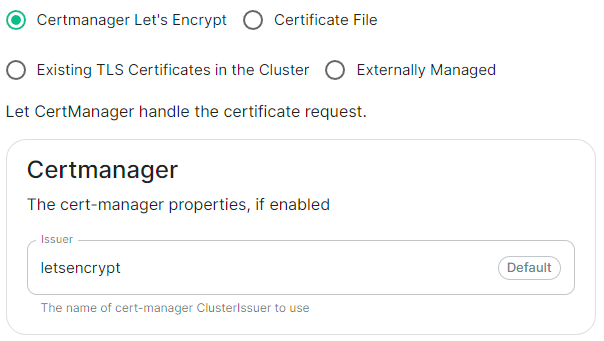
Select this to use Let's Encrypt to generate the certificates used, do not edit the Issuer field as no other options are available at this time.
#### Certificate File
[](https://ems-docs.element.io/uploads/images/gallery/2024-04/image-1714492004288.png)
Config Example
- `deployment.yml`
```yml
spec:
components:
componentName: # `elementWeb`, `integrator`, `synapse`, `synapseAdmin`, `wellKnownDelegation`
k8s:
ingress:
tls:
mode: certfile
certificate:
certFileSecretKey: componentCertificate
privateKeySecretKey: componentPrivateKey
secretName: component
```
- `secrets.yml`
```yml
apiVersion: v1
kind: Secret
metadata:
name: component
namespace: element-onprem
data:
componentCertificate: >-
exampleBase64EncodedString
componentPrivateKey: >-
exampleBase64EncodedString
---
```
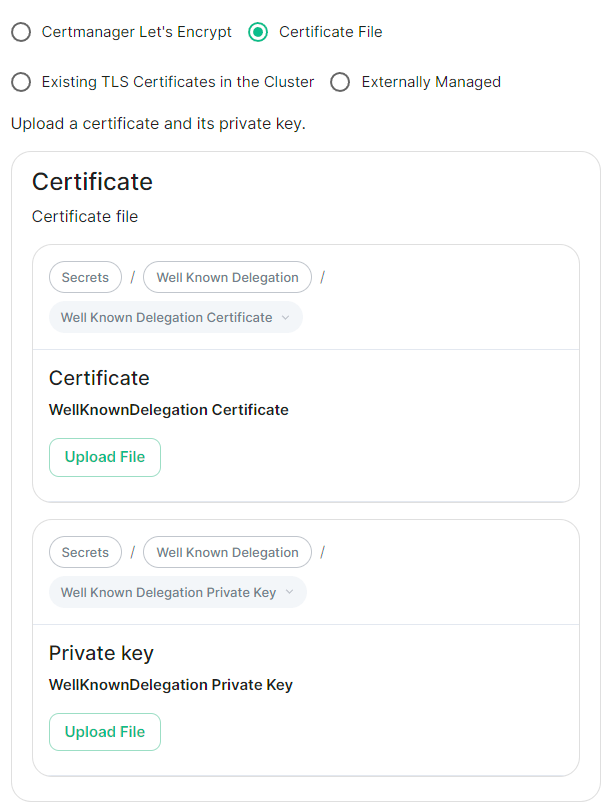
Select this option to be able to manually upload the certificates that should be used to serve the specified domain. Make sure you certificate files are in the PEM encoded format and it is strongly advised to include the full certificate chain within the file to reduce likelihood of certificate-based issues post deployment.
#### Existing TLS Certificates in the Cluster
[](https://ems-docs.element.io/uploads/images/gallery/2024-04/image-1714492016084.png)
Config Example
```yml
spec:
components:
componentName: # `elementWeb`, `integrator`, `synapse`, `synapseAdmin`, `wellKnownDelegation`
k8s:
ingress:
tls:
mode: existing
secretName: example
secretName: component # Not used with 'Existing TLS Certificates in the Cluster'
```
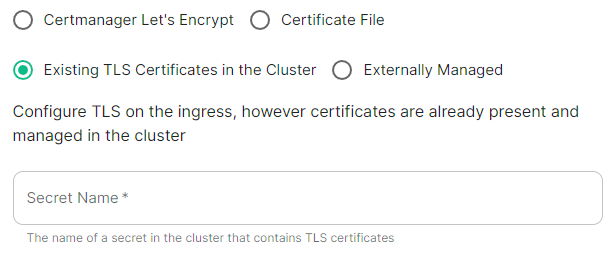
This option is most applicable to Kubernetes deployments, however can be used with Standalone. Select this option when secrets containing the certificates are already present and managed within the cluster, provide the secret name that contains the TLS certificates for ESS to use them.
#### Externally Managed
[](https://ems-docs.element.io/uploads/images/gallery/2024-04/image-1714492026549.png)
Config Example
```yml
spec:
components:
componentName: # `elementWeb`, `integrator`, `synapse`, `synapseAdmin`, `wellKnownDelegation`
k8s:
ingress:
tls:
mode: external
secretName: component # Not used with 'Externally Managed'
```
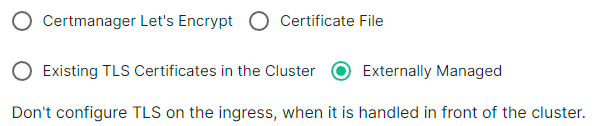
Select this option is certificates are handled in front of the cluster, TLS will not be configured on the ingress for each component.
##### Well-Known Delegation
If you already host a site on your base domain, i.e. `example.com`, then you should either ensure your web server defers to the Well-Known Delegation component to serve the `.well-known` files or you should set Well-Known Delegation to `Externally Managed` and manually serve those files.
This is because Matrix clients and servers need to be able to request `https://example.com/.well-known/matrix/client` and `https://example.com/.well-known/matrix/server` respectively to work properly.
The web server hosting the base domain should either forward requests for `/.well-known/matrix/client` and `/.well-known/matrix/server` to the Well-Known Delegation component for it to serve, or a copy of the `.well-known` files will need to be added directly on the` example.com` web server.
If you don't already host a base domain `example.com`, then the Well-Known Delegation component hosts the `.well-known` files and serves the base domain i.e. `example.com`
###### Getting the contents of the `.well-known` files
1. Run `kubectl get cm/first-element-deployment-well-known -n element-onprem -o yaml` on your ESS host, it will output something similar to the below:
Config Example
```yaml
apiVersion: v1
data:
client: |-
{
"m.homeserver": {
"base_url": "https://synapse.example.com"
}
}
server: |-
{
"m.server": "synapse.example.com:443"
}
kind: ConfigMap
metadata:
creationTimestamp: "2024-06-13T09:32:52Z"
labels:
app.kubernetes.io/component: matrix-delegation
app.kubernetes.io/instance: first-element-deployment-well-known
app.kubernetes.io/managed-by: element-operator
app.kubernetes.io/name: well-known
app.kubernetes.io/part-of: matrix-stack
app.kubernetes.io/version: 1.24-alpine-slim
k8s.element.io/crdhash: 9091d9610bf403eada3eb086ed2a64ab70cc90a8
name: first-element-deployment-well-known
namespace: element-onprem
ownerReferences:
- apiVersion: matrix.element.io/v1alpha1
kind: WellKnownDelegation
name: first-element-deployment
uid: 24659493-cda0-40f0-b4db-bae7e15d8f3f
resourceVersion: "3629"
uid: 7b0082a9-6773-4a28-a2a9-588a4a7f7602
```
2. Copy the contents of the two supplied files (client and server) from the output into their own files:
- **Filename:** `client`
```json
{
"m.homeserver": {
"base_url": "https://synapse.example.com"
}
}
```
- **Filename:** `server`
```json
{
"m.server": "synapse.example.com:443"
}
```
3. Configure your webserver such that each file is served correctly at, i.e for a base domain of `example.com`:
- `https://example.com/.well-known/matrix/client`
- `https://example.com/.well-known/matrix/server`