# Reset User Password
Resetting an account password will log out all sessions. Before doing this, make sure that
- all sessions are connected to key backup,
- all sessions have backed up all their keys. See [Check Status](check-status), and
- the correct key backup passphrase is available.
1. Click `Your Account` and `Manage Servers` or click this link https://ems.element.io/user/hosting.
1. Click `Server Admin`, select your host, then `Users`
1. Click the user you want to manage
[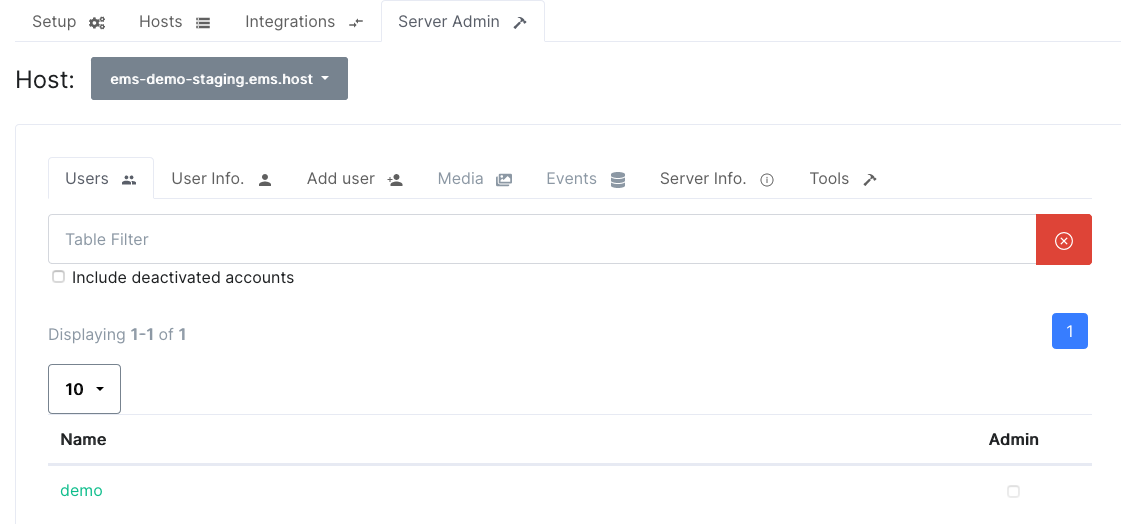](https://ems-docs.element.io/uploads/images/gallery/2023-12/image-1702383680400-45-40-pm.png)
1. Click `Reset password`, enter a new password and click `Go`
[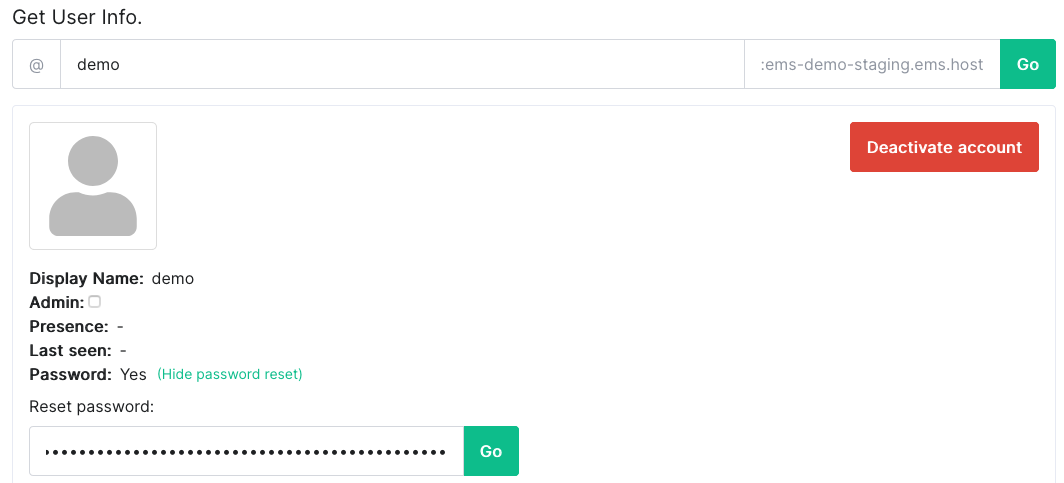](https://ems-docs.element.io/uploads/images/gallery/2023-12/image-1702383700656-47-25-pm.png)