# Add Users
1. Click `Your Account` and `Manage Servers` or click this link: https://ems.element.io/user/hosting
1. Click `Server Admin`
1. Select your host
1. Click `Add user` Enter the username and click `Add`
[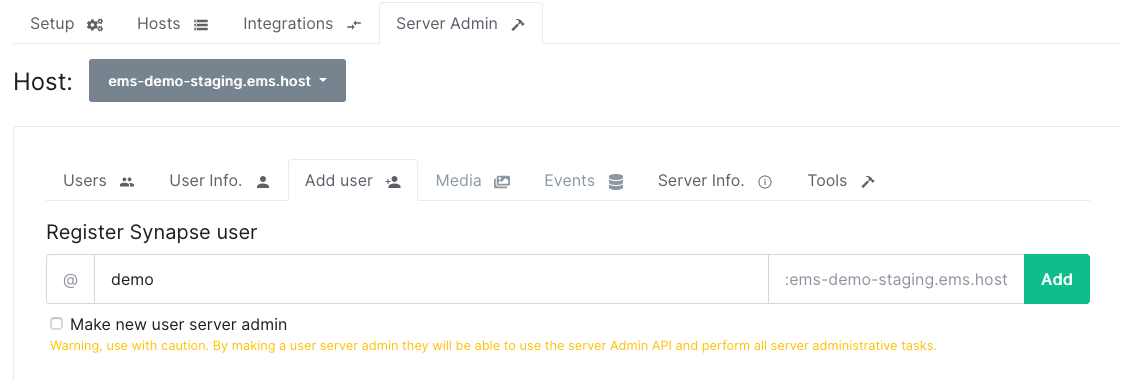](https://ems-docs.element.io/uploads/images/gallery/2023-12/image-1702382821288-34-01-pm.png)
1. Select `Make new user server admin` if you want this user to be able to use the Synapse Admin API to perform administrative tasks on your server. Be careful with this as this option has a lot of power on your server.
1. The username and password for the new user is displayed. You will only be able to see this information once so send the password to the user in a secure manner and then delete it
[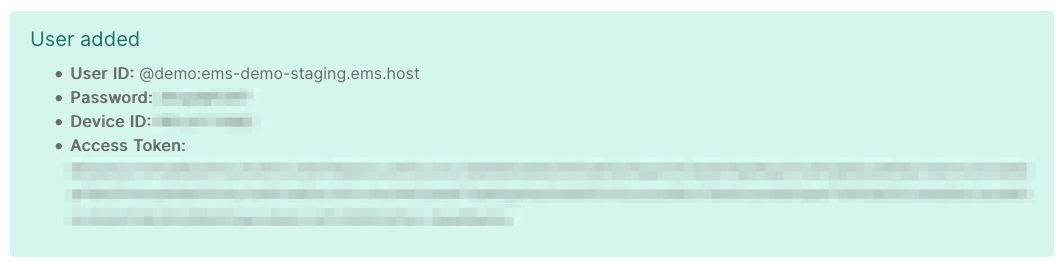](https://ems-docs.element.io/uploads/images/gallery/2023-12/image-1702382889442-37-05-pm.png)